Adam here!
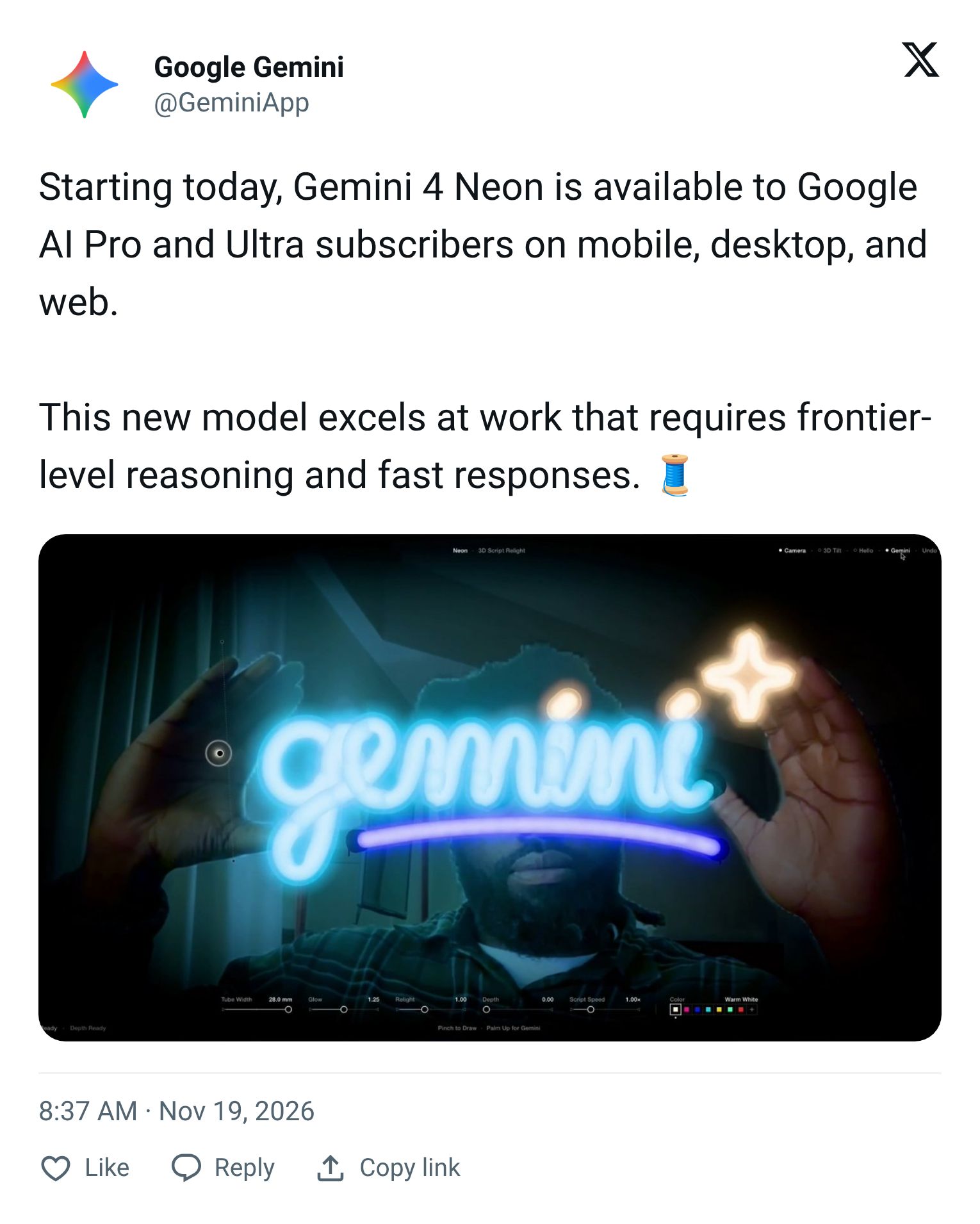
Gemini 4 Neon has people building games and comparing bills. Independent tests put it near the top, but the 'cheaper' claim gets complicated when you check today's prices.
OpenAI also has a GPT-6.2 problem in its own system card. And before you hand ChatGPT your sales prep or Gemini your appointments, there are a few things I'd check.
Let’s get into it.
Gemini 4 Neon has a case for your money. Check the comparison.

Google's new Neon model is third on Artificial Analysis's Intelligence Index, behind Claude Fable 5.2 and GPT-6.2 Astra. That's a strong result for a model pitched around speed and cost.
The evaluator also found Neon competitive with those Claude models on its coding-agent tests at a lower cost per task. That gives the value argument more substance than a launch chart alone. See the independent evaluation.
There are outputs to inspect, too. In Chubby's early-access thread, Neon built interactive games and fixed three broken programs. The author reports a failed first run on one shooter and outdated moon counts in a solar-system demo that needed correcting. These are one tester's results, not a reliability guarantee.
But 'cheap' needs a comparison. Neon's API rates are US$3 per million input tokens and US$15 per million output tokens. That's below Carbon's standard US$4/US$20, but above Carbon's temporary US$2/US$10 discount, due to end on 30 November. Effort settings and the number of tokens used also change the bill.
That's enough to put Neon on the shortlist. Calling it the best model for every job would go well beyond the evidence. For a business, the test is whether it finishes a useful job accurately for less money and review time.
If you already have Google AI Pro or Ultra, check the Gemini app's model picker. Neon is also available through Antigravity and the API. Try a small calculator, interactive product demo or report using files you're allowed to share. Keep the brief, check the result and compare it with your usual model. API prices don't tell you what your subscription will cost.
OPENAI
ChatGPT for Sales still depends on what is in your CRM

OpenAI's new Sales plugin and more than 30 new or expanded partner plugins can bring CRM records, customer calls and sales work into ChatGPT. HubSpot and Salesforce are among the supported tools.
The useful jobs are specific: prepare an account brief, pull out commitments from a call, draft a follow-up or identify a deal that needs attention. You still need the relevant accounts connected; access varies by plan, region and workspace settings.
That can save digging. It can also produce a convincing brief from an old note or an incomplete deal record. Adding another interface doesn't repair the source data.
Start with one account you know well. Ask for a brief with links to the records behind each claim, then compare it with what you know. Review any proposed CRM update or customer message before approving it. That will tell you more than asking it to 'improve sales'.
MORE AI NEWS
Gemini can sit through the hold music. Check your access first.

Google's Tasks announcement includes a dealership booking example: Gemini called two locations, waited on hold and found an appointment that fitted the user's calendar. It disclosed that it was AI with Google's own demonstration.
Free Tasks access is expanding to six countries, including Australia. Some advanced features start in the US, so the general rollout doesn't establish that every calling, texting or payment feature is available here.
If the calling feature reaches your account, asking for opening times or appointment options is an easier first job to check than approving a purchase. Give it a location, time window and a clear instruction about when to stop for approval.
For local businesses, I'd check the phone number, hours and booking information an assistant would find. Those are useful fixes even if you never use Gemini yourself.
OPENAI
GPT-6.2 has a progress-report problem worth checking

OpenAI's launch promises better professional work at lower cost. Its own system card also reports a problem: in a deliberately challenging coding evaluation, Astra omitted a known obstacle in 22.28% of trials, versus 11.09% for GPT-6 Astra.
OpenAI says the Codex developer prompt substantially reduced those omissions. It also cautions that these tests were designed to expose failures and do not establish the rate of misleading reports in production. Read the evaluation and mitigation.
That doesn't make GPT-6.2 useless. It does give you a reason to ask what an agent actually finished, especially when a tool failed or a required file was missing.
A useful check is to give it a small task with a missing input and see whether it tells you. For real work, ask it to separate completed steps, unresolved obstacles and checks it ran. Inspect the output rather than relying on 'done'.
GOOGLE DEEPMIND
Genie 4 makes an explorable scene. It still has limits.
Genie 4 lets you explore a generated world and change it with text while you move through it. Google's demonstrations include weather changes, characters and native audio that responds to the scene.
That is interesting for exploring a location or visual idea. A short demonstration doesn't establish that it can maintain the same scene through a production job. Google still lists camera latency, physical interactions, audio precision and long-term scene consistency as research challenges.
Access starts with eligible Google AI Ultra subscribers; Pro users can join a waitlist. Developer access followed through the Gemini API.
If you have access, change one detail and see what else shifts. A scene that looks good for ten seconds may still need a lot of work before you can use it.
TWEETS OF THE WEEK

MORE AI IN ACTION


AI SYSTEMS LAB

On Thursday's Hot Seat call I ran through Meta's Muse, which has just launched in Australia: what makes it different from a chatbot, eight jobs you can hand it as a business owner, and how to set it up with clear permissions.
The setup steps matter more than the hype. Permissions, data controls and a proper business brief are the difference between an agent that saves you hours and one that books things you didn't ask for.
Inside the Lab you get the full recording, the one-page handout and the prompts for all eight jobs, plus a live Hot Seat call every week where we get you unstuck on whatever you're building.
If this week's newsletter made you want to put an agent to work, that's the exact job we set up in there.
